- TimelyGrader Newsletter
- Posts
- Setting up courses just got faster!
Setting up courses just got faster!
Introducing the Course Lobby for our API users.

Chloe Lim
November 27, 2025
We know how frustrating it can be to add courses to TimelyGrader by installing an external tool into your course shell on either Canvas or D2L. This was one of the traditional ways of installing LTI tools.
Since we utilize an API integration, that gives us another way to import courses and course content. That’s why we’ve built a new Course Lobby to make your installation process much faster and easier.
As long as we are integrated with your institution, you can launch TimelyGrader anywhere with a general link. It’s a similar experience if you wanted to go to your MS Teams or your LMS.
Let’s see how quick and easy it can be 👀
Step 1: Go to your institution specific TimelyGrader URL
This might be something similar to: https://yourinstititution.timelygrader.ai/. We do this to ensure that any and all data is protected and segmented across different institutions.
If your institution does not have an integrated version of TimelyGrader, this will not be available to you. Contact us at [email protected] to get that conversation started.
Step 2: When the link opens up, you will see the new ‘Course Lobby’. Simply click “Import”
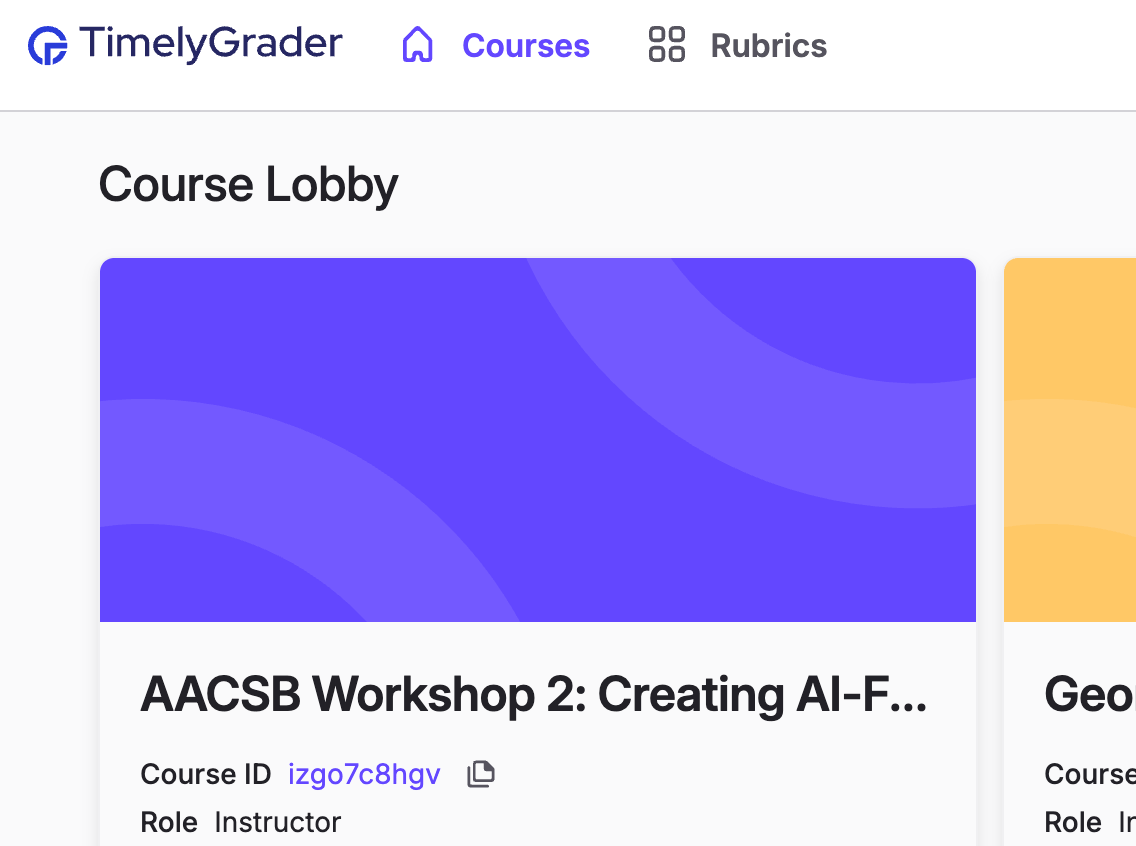
Step 3: Find your course in the dropdown and select it
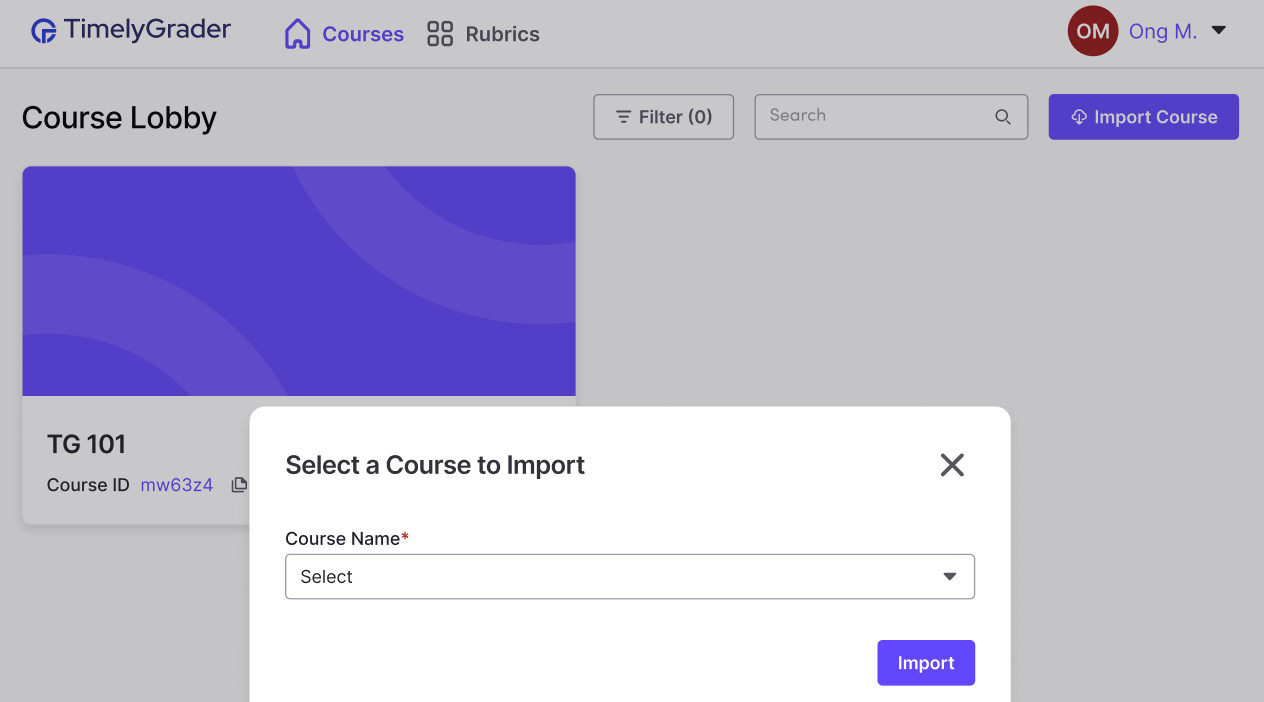
Step 4: Simply click “Import”! And the course has been popped in 😄
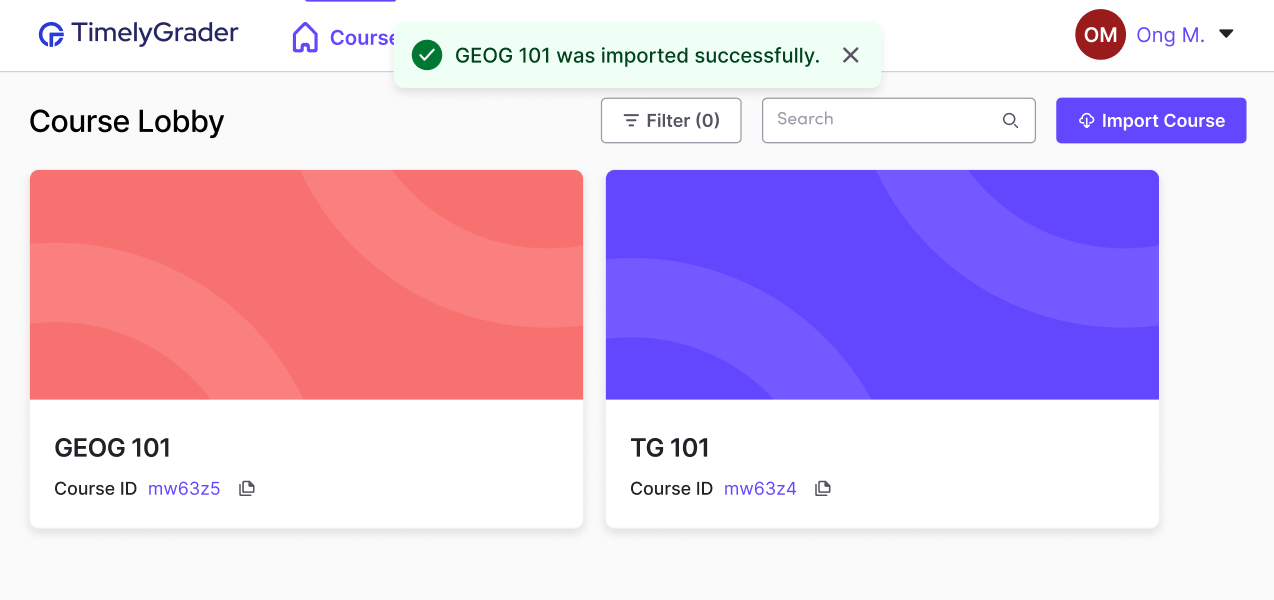
Instead of navigating through Canvas to select your course shell and then launching TimelyGrader, you can now bookmark this page directly to open it when you need to use TimelyGrader.
And if you're wondering, “What exactly is a course ID?”, let’s just say that soon, copying settings and content from one course to another will be as simple as pressing a single button.
These updates will roll out to all institutions this Friday. Please note that availability for end users may still depend on each university’s IT team completing their testing before deployment to production. If you have any questions, contact your institution’s LMS administration/instructional design group or [email protected].