- TimelyGrader Newsletter
- Posts
- Instructors Can Now View Assignment Grading Insights
Instructors Can Now View Assignment Grading Insights
Grading insights bring transparency and clarity to your grading process. Coming this Friday, Feb 20th, at 4PM PST.

Chloe Lim
February 18, 2026
Assignment Insights Dashboard Have Entered the Chat! 💬 👀
Yes, really! Instructors can now view detailed grading insights and class scoring data directly within the Manage Submission page and go to the Grading Insights tab!
Let’s talk about the main functions of this feature:
Differences Between Graders’ Scoring
You can now compare scores across TAs and other graders in a clear visual graph, broken down by criterion. You can also filter by individual grader to better understand scoring patterns and variations. It’s a simple way to spot inconsistencies, align expectations, and make grading more transparent across your team.
This is especially helpful for large enrolment courses with many TAs who grade! Because you know…inconsistency exist!

Curious to see the accuracy of the suggestions?
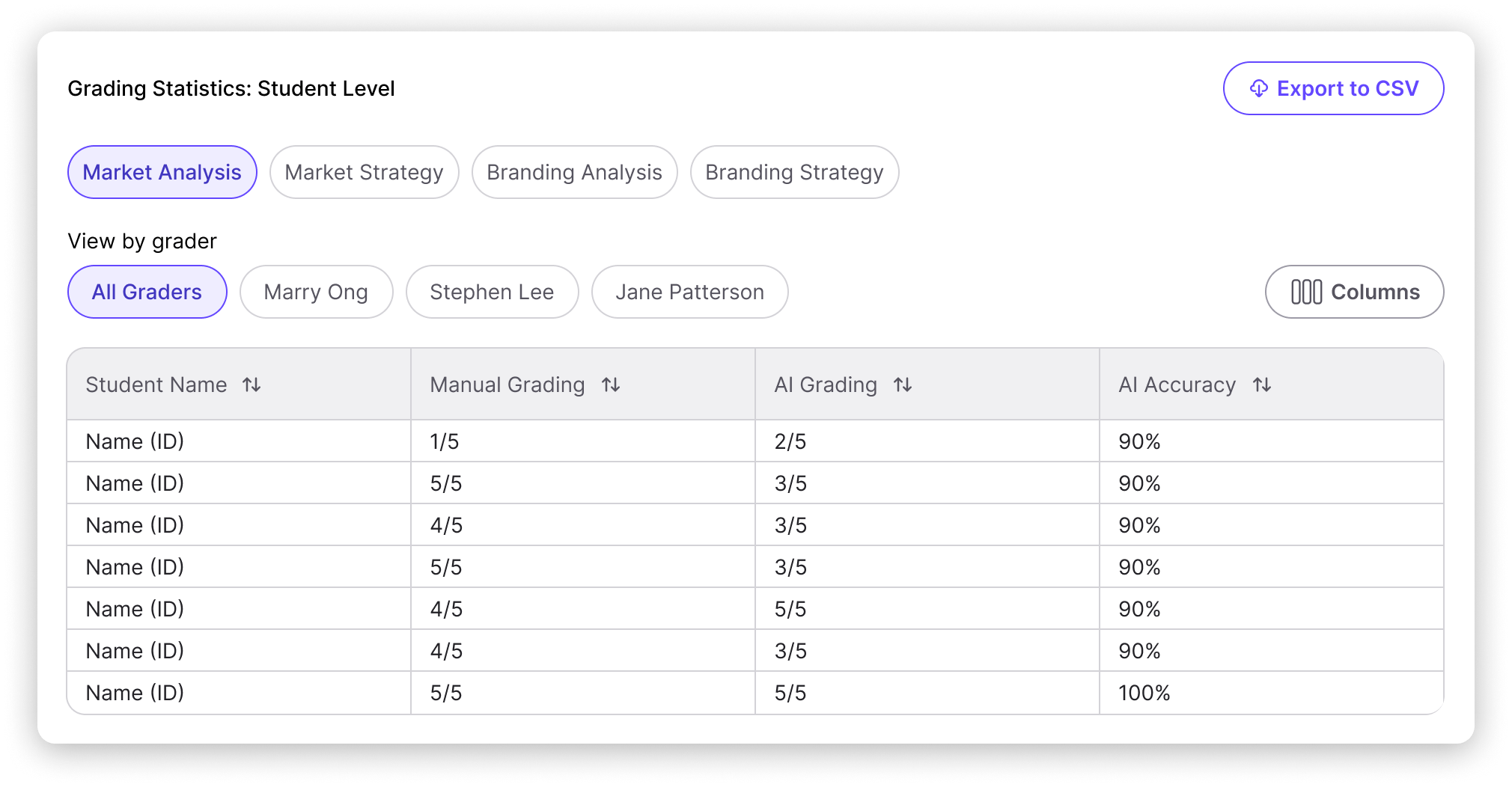
You can now compare human given scores with AI-suggested grades and see the accuracy percentage side by side. This makes it easier to evaluate how closely AI recommendations align with instructor judgment, and where adjustments might be needed.
Grader Progress & Performance Overview
There’s also a dedicated section that gives instructors a clear snapshot of grader activity. You can easily see:
How many submissions each grader has reviewed
How quickly they completed grading
The average grade they’ve assigned
How much time was saved using TimelyGrader
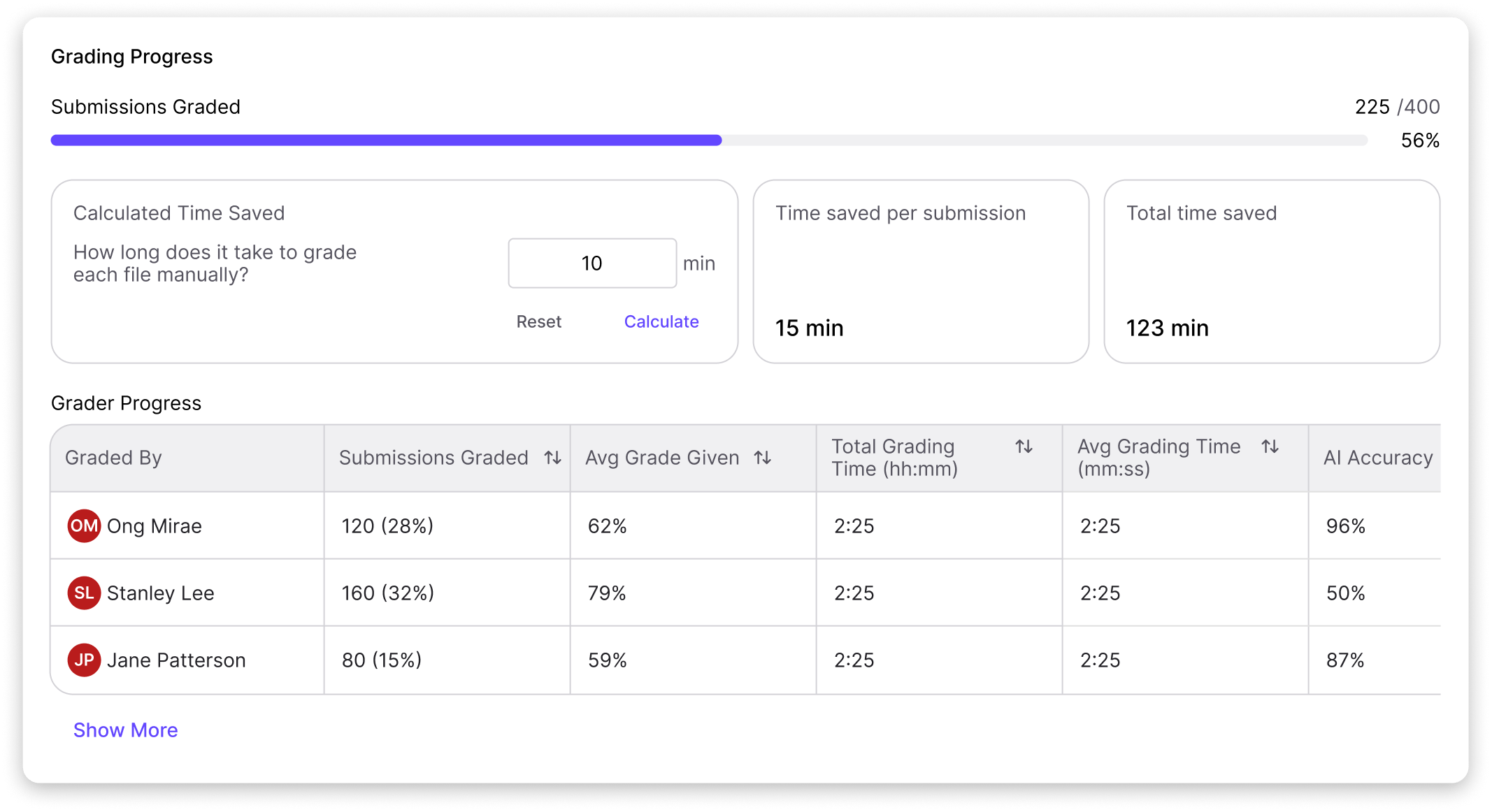
And yes… you can export the data, comparisons, and grader progress reports as an Excel spreadsheet!
Coming this Friday, Feb 20th, at 4PM PST!
We hope this new feature helps you find informed about grading decisions across your course. As always, your feedback helps us improve!